A calendar diary for iPhone

Your days, kept.

A calendar diary for iPhone and the web. Encrypted so only you can read it.

  • End-to-end encrypted
  • Works offline
  • On-device dictation
  • Open source
  • Made by Soul Archive Ltd

Your month, at a glance

Days you wrote on show a tiny photo or a coloured dot. Days with tasks get a ring, and a tick once they’re all done. Tap a day and everything on it slides up underneath.

Folio’s calendar for October with photo tiles and dots on the days written about, and the day panel below.

Write for any day

Pick a date back to 1900 and write in a half sheet while the calendar stays in view. Move your old paper diaries in, photos and all.
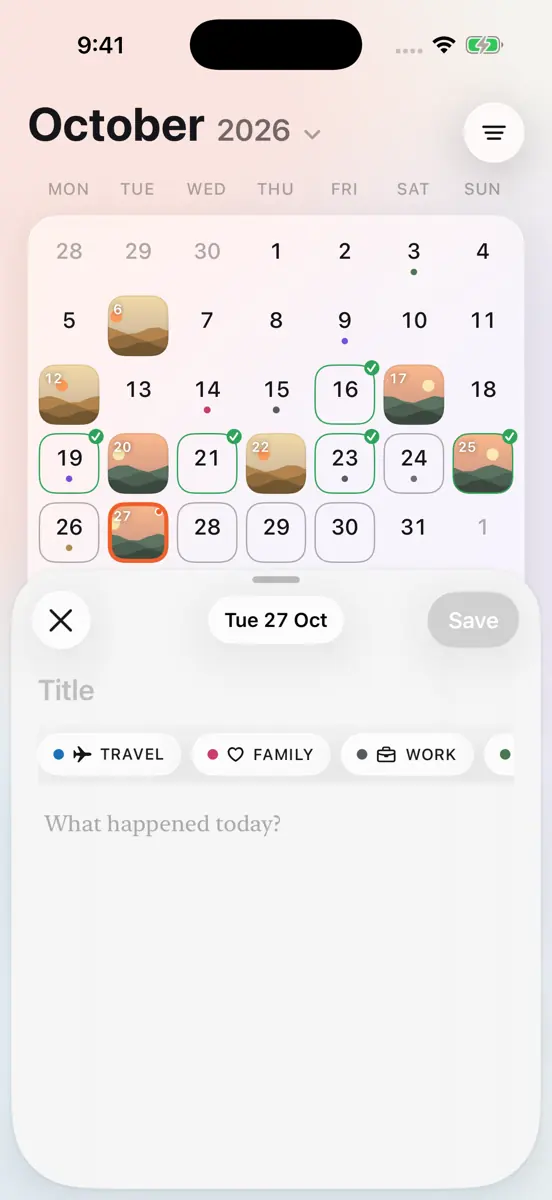
The composer open as a half sheet over the calendar, with a title, text and a date pill.

Tasks stay on their day

Tick a task and it stays on the calendar, done. Nothing disappears unless you delete it — and even then it waits 30 days in Recently Deleted.
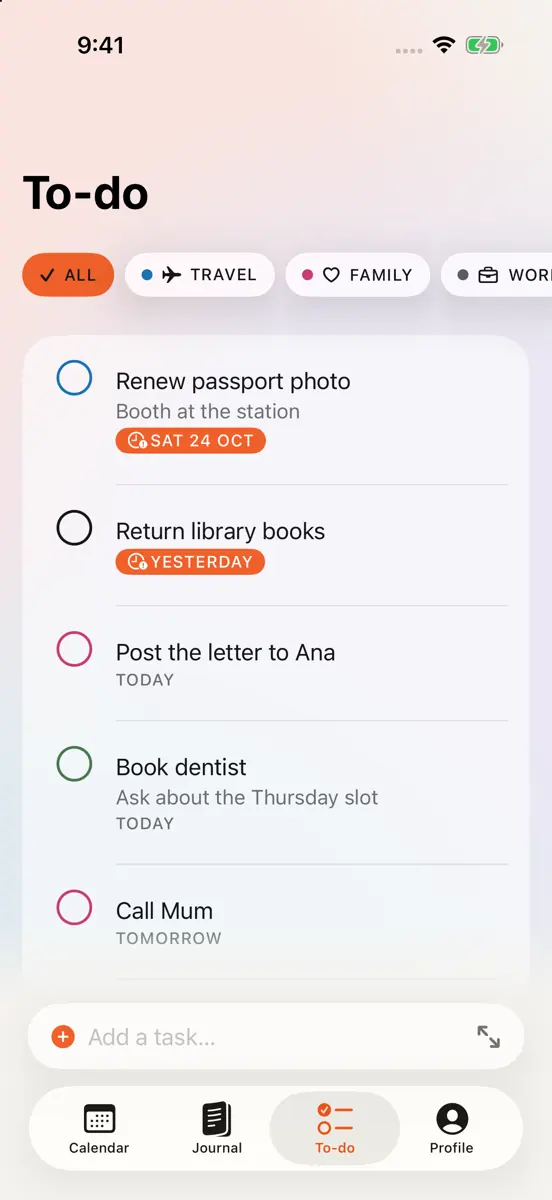
The To-do list with active tasks, coloured category rings and a Completed section.

Speak instead of typing

Dictate an entry and watch it appear as you talk. Ask ✦ for a title or a light grammar polish. It all runs on your iPhone; your words don’t go anywhere.
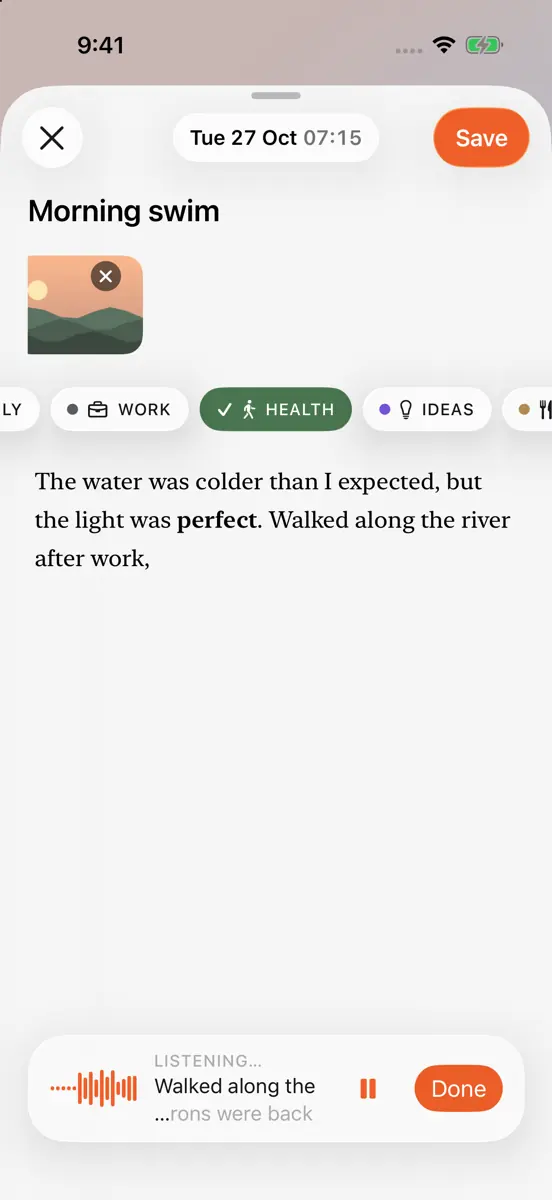
Dictation in the composer: a glass capsule with a live waveform and words appearing.

Read it back like a book

The Journal lays your pages out by month, with covers from your photos, or as one wall of every picture you’ve kept.

The Journal timeline with month headers and entry cards with cover photos.

Privacy

  • Encrypted on your device.
  • No ads.
  • No tracking.

Without an account, your diary stays on your iPhone and we receive nothing. With sync, every entry, photo and task is encrypted before it leaves your device, with a key only your devices hold.

The app has no analytics, no advertising and no third-party code. This website sets no cookies. Read the privacy policy.

Open source, so you can check.

Every line of Folio — the iPhone app, the server and this site — is public under the Apache 2.0 licence. Read how encryption works, or build it yourself.

Soul-Archive-Limited/folio on GitHub

Questions

Can you read my diary?
No. Without an account your diary never leaves your iPhone. When sync arrives, everything you write — entries, photos, tasks and categories — is encrypted on your device before it’s uploaded, with a key only your devices hold. Our servers store data they can’t read, so Soul Archive Ltd can’t read your diary, and can’t hand it to anyone else either.
What if I lose my iPhone?
With sync on, your diary comes back on a new iPhone through iCloud Keychain, or with your recovery key — a code you save when you turn sync on. Because the diary is end-to-end encrypted, we can’t recover it for you: if you lose every device and the recovery key, it can’t be read. Without sync, your diary lives only on that iPhone, so export it from Profile → Your data now and then.
Do I need an account?
No. Folio works fully on your iPhone without an account, offline too. An account will only be needed for syncing with the web and a second device, and you can add one any time.
What happens when I delete something?
Entries (with their photos), tasks and categories go to Recently Deleted for 30 days, so you can restore them to the same day. After 30 days they’re deleted for good. You can also restore or delete them sooner from Profile → Your data → Recently Deleted.
Can I write for days in the past?
Yes, any day back to 1900. It’s made for moving old paper diaries in: pick the date, write or dictate, add photos.
Does dictation send my voice anywhere?
No. Dictation and the ✦ writing tools run on your iPhone with Apple’s on-device models. Audio isn’t stored and nothing is sent to us or anyone else.
Can I use Folio on the web?
A web version is on the way. You’ll unlock it by scanning a code with your iPhone, so your encryption key never touches our servers.
Can I get my diary out?
Yes. Profile → Your data → Export makes a JSON file of everything plus a zip of your photos, right on your iPhone.
Who makes Folio?
Soul Archive Ltd, a small company in England. The code is open source on GitHub, so you can check how your diary is handled.

More answers on the Support page.